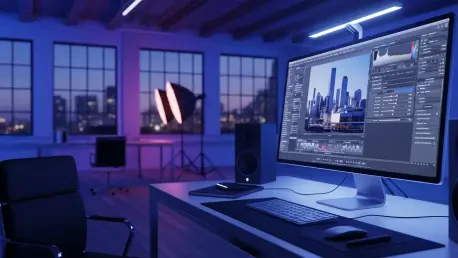

The landscape of open-source image editing has witnessed a dramatic shift as Photoflare makes a triumphant return with its 1.7 release, ending a long period of development silence that stretched back for years. This update represents a transformative milestone, evolving the application from a simple maintenance project into a robust solution for enthusiasts and professionals alike who require a balance between speed and functionality. By prioritizing a modernized underlying architecture, the development team has managed to breathe new life into a tool that many feared had been abandoned in a rapidly changing software environment. The focus of this release remains squarely on improving rendering performance and expanding the creative toolkit available to users, ensuring that the software remains relevant in a market dominated by heavy, resource-intensive alternatives. This version successfully bridges the historical gap between minimalist design and high-end processing power.
Modernizing the Technical Core
Transitioning to the Qt 6 Framework
The most fundamental change in this version is the migration from the aging Qt 5 framework to the contemporary Qt 6 standard, which optimizes the entire build system for modern hardware. This transition is not merely a cosmetic update; it fundamentally improves how the software interacts with high-density displays through refined HiDPI scaling and updated tool cursors that remain crisp at any resolution. As display technology continues to advance, having a framework that natively supports these high-resolution environments is essential for maintaining a professional workflow without graphical artifacts or blurriness.
Furthermore, this migration allows for better long-term maintenance and compatibility with current operating systems, ensuring that the editor remains stable across diverse environments. By adopting the latest libraries, the developers have ensured that the software can leverage newer hardware acceleration features, which translates to a snappier user interface and more responsive input handling. This architectural shift provides a solid foundation for all future updates, allowing the community to build upon a clean and modern codebase that adheres to the latest industry standards for software development and UI consistency.
Optimized Rendering with Dirty-Zone Models
Complementing the framework shift is a completely rewritten canvas engine that fundamentally changes how image data is processed during the editing phase. By adopting a “dirty-zone” rendering model, the application now repaints only the specific areas of an image that have been altered, rather than refreshing the entire canvas for every small change. This approach drastically reduces the computational overhead, leading to significantly higher performance when working with complex projects or high-resolution photographs that would have previously caused the system to stutter or lag.
In addition to speed improvements, this new engine specifically addresses historical issues regarding high memory usage when handling large files or multiple layers of adjustments. Users will find that the software remains responsive even when applying heavy filters or making intricate brush strokes, as the system intelligently manages system resources. This efficiency makes the application particularly attractive for those working on older hardware or portable devices where CPU cycles and RAM are at a premium. The result is a fluid editing experience that matches the performance of much more expensive commercial software packages.
Expanding Creative Capabilities and Usability
Integration of Advanced Filters and Selection Tools
One of the most exciting functional additions in this release is the full integration of G’MIC, which grants users immediate access to hundreds of advanced image-processing filters. Previously unavailable within this specific environment, these filters allow for complex artistic transformations, technical corrections, and aesthetic enhancements that were once the exclusive domain of much larger suites. Whether a user needs to perform sophisticated noise reduction or apply stylized textures, the inclusion of this library transforms the software into a powerhouse for creative experimentation and detailed photo manipulation.
Beyond the expanded filter gallery, the selection system has been completely overhauled to include more flexible options like lasso and elliptical shapes. These tools are now supported by keyboard-driven movement and rotation, allowing for surgical precision when isolating specific elements of a photograph. Creative enhancements also extend to the paintbrush mechanics, which now feature smoother stroke rendering and the ability to draw perfectly straight lines by holding the Shift key. These refinements, alongside new standard filters like Pixelate and Vignette, significantly broaden the artistic scope of the platform.
Refining the Workflow Experience
The user interface has received a comprehensive refresh aimed at improving daily usability, featuring dark-mode-ready icons and canvas rulers that help with precise alignment. Drag-and-drop file support has been streamlined, making it easier to import assets into a project without navigating complex menu structures. These small but impactful changes collectively reduce the friction of the editing process, allowing users to focus more on their creative vision rather than fighting with the interface. The goal was to create a workspace that feels intuitive to newcomers while providing the depth required by seasoned editors.
Operational stability was also a primary focus, with the resolution of approximately 50 distinct bugs that ranged from minor undo-behavior glitches to more severe crashes in specific dialog boxes. Batch processing capabilities have been strengthened with superior file validation and support for multiple input paths, making it a reliable tool for processing large sets of images simultaneously. Furthermore, the file handling logic now ensures that EXIF metadata is correctly preserved, which is a critical requirement for photographers who need to maintain detailed records of their camera settings and shooting conditions.
Strategic Outlook and Recommendations
This release clarified the project’s future trajectory by maintaining the open-source version under the GPL license while paving the way for a commercial edition. The upcoming PhotoFlare Studio is expected to cater to professional workflows by introducing advanced features such as non-destructive editing, RAW support, and local AI-assisted tools. This dual-track development strategy ensured that the core community continued to receive a high-quality free tool while providing a sustainable path for more complex professional features. Users who prioritized stability and speed found that the 1.7 update successfully modernized the software without sacrificing its lightweight nature.
For those looking to integrate this tool into their daily routine, it was recommended to explore the new G’MIC library extensively to understand the full range of available effects. Organizations that processed large volumes of images benefited from testing the improved batch processing tools to reduce manual labor. As the software moved toward its studio iteration, the community was encouraged to transition their workflows to take advantage of the Qt 6 performance gains. This release proved that even after a long hiatus, a dedicated focus on core architectural improvements could result in a product that felt contemporary and fully prepared for the demands of the modern era.